
The Measure-Object cmdlet is used to calculate the property values of certain object types. The cmdlet performs three types of measurements – object counts, descriptive statistical metrics of numeric values, and character counts.
Example: Measure directory size
Measure-Object -Property length -Minimum -Maximum -Sum -Average
Use Case:
The client has an application cache folder that grows significantly and consumes storage space.
Impact:
- Performance impact: slower disk I/O, longer file access times
- Storage impact: reduced available space for critical applications and data, potential disk fragmentation.
Solution:
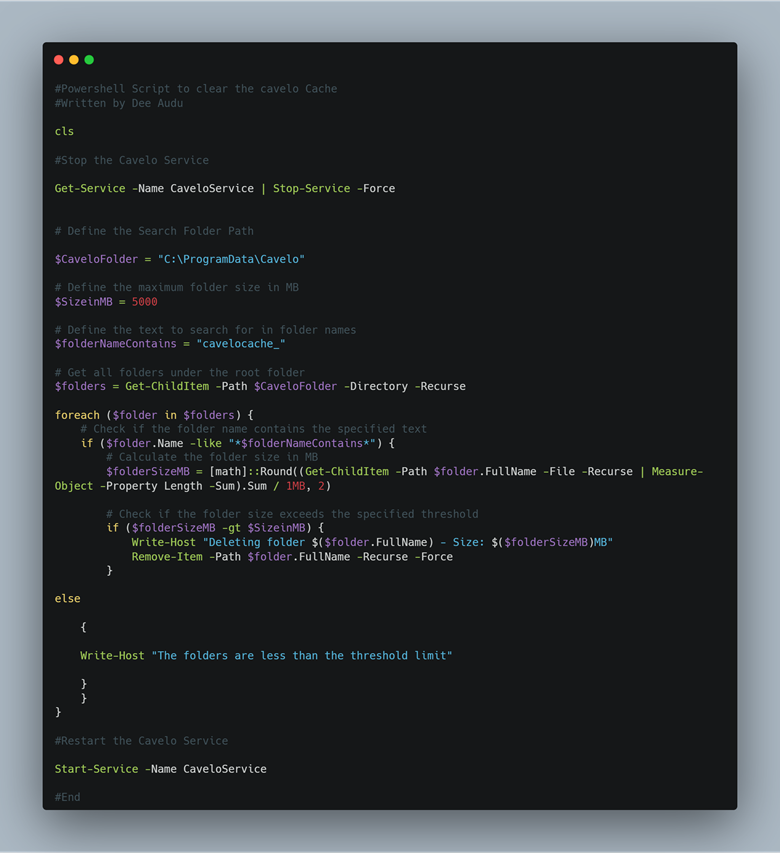
Implemented auto-cleanup using a scheduled script to delete the cache folder at a set file size limit using the Measure-Object cmdlet.
In this post, I will share a redacted version of the simple script used for auto-cleanup.
Script:
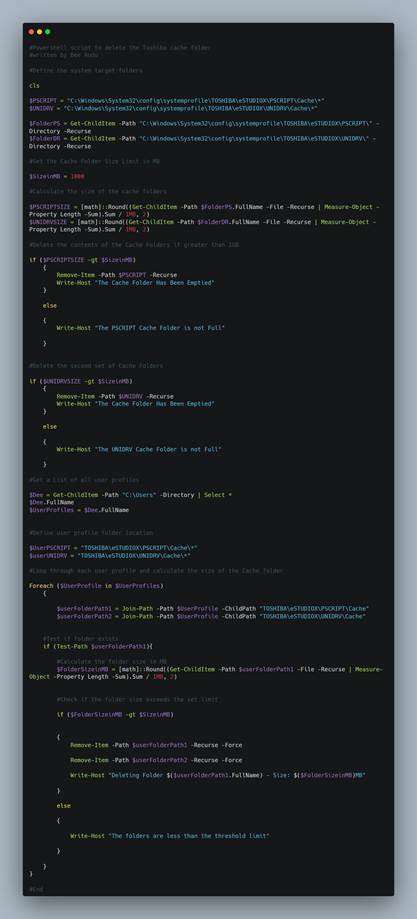
Bonus Script for cache folder cleanup.
Further Reading: Measure-Object (Microsoft.PowerShell.Utility) – PowerShell | Microsoft Learn